

Google Pixel Android 17: Everything You Need to Know About the Biggest Pixel Update of 2026
The arrival of Android 17 for Google Pixel smartphones has quickly become one of the hottest technology topics of 2026. Google has officially started rolling out Android 17 to supported Pixel devices, bringing a collection of new productivity tools, creator-focused features, multitasking improvements, gaming enhancements, and stronger security protections. Unlike some Android releases that focus mainly on under-the-hood improvements, Android 17 introduces several visible features that users can experience immediately. Google's new App Bubbles, Screen Reactions, improved privacy controls, and Gemini-powered experiences are already generating discussions across social media, Reddit communities, and Android enthusiast forums.
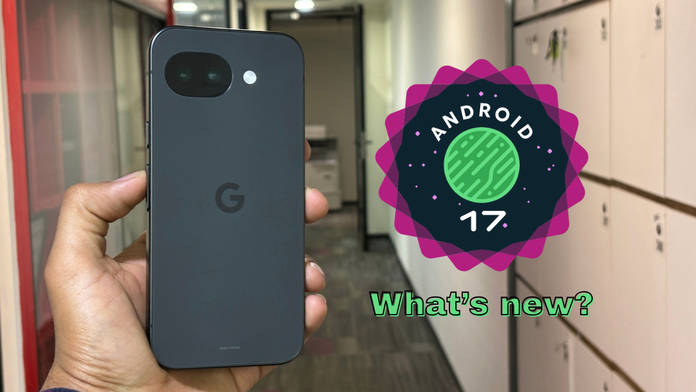
For Pixel users, Android 17 represents more than just another annual software update. It reflects Google's growing ambition to transform Android into a platform that competes not only on customization but also on productivity and content creation. Whether you're a student managing multiple apps, a professional handling workflows, a gamer using a foldable phone, or a creator producing social media content, Android 17 introduces features designed to improve everyday experiences. The update is rolling out first to Pixel devices before expanding to other Android brands throughout the year.
🤖 What Is Android 17 and Why Is It Trending?
Android 17 is Google's newest version of its mobile operating system, officially released in June 2026. The software update arrived alongside the latest Pixel Feature Drop, giving Pixel owners immediate access to Google's newest innovations. One reason Android 17 is trending globally is because it introduces practical features that users have requested for years. Rather than focusing exclusively on visual redesigns, Google has prioritized multitasking, security, and creator tools that can be used daily.
Technology communities have been particularly interested in Android 17 because it changes how users interact with applications. The introduction of App Bubbles allows any supported application to float above other apps, creating a desktop-like multitasking environment. This feature is especially useful for large-screen devices such as foldables and tablets. At the same time, content creators have embraced the new Screen Reactions tool, which allows simultaneous screen recording and selfie camera capture directly from Android. Previously, many creators needed third-party applications to achieve similar functionality.
📅 Official Release Timeline
Google officially launched Android 17 in June 2026 after several months of beta testing. The development cycle included multiple beta releases, allowing developers and Pixel enthusiasts to test upcoming features before the stable launch. The final release is now available through over-the-air updates for supported Pixel devices.
🔥 Why Pixel Users Are Excited
Pixel users traditionally receive Android updates before any other Android brand. This early access creates excitement because Pixel owners become the first people to experience Google's newest features. Android 17 continues that tradition by delivering exclusive Pixel enhancements alongside core Android improvements. Users are especially excited about multitasking bubbles, creator tools, AI upgrades, and enhanced privacy controls. Community discussions indicate that many Pixel users see App Bubbles as one of the most useful Android features introduced in years.
📲 Android 17 Rollout for Google Pixel Devices
Google has confirmed a broad list of compatible Pixel devices for Android 17. The rollout covers several generations of Pixel smartphones, ensuring that both flagship and budget-conscious users can benefit from the update. This extensive support demonstrates Google's long-term commitment to software updates and device longevity.
| Pixel Device Series | Android 17 Support |
|---|---|
| Pixel 6 Series | ✅ Yes |
| Pixel 7 Series | ✅ Yes |
| Pixel 8 Series | ✅ Yes |
| Pixel 9 Series | ✅ Yes |
| Pixel 10 Series | ✅ Yes |
| Pixel Fold | ✅ Yes |
| Pixel Tablet | ✅ Yes |
According to Google's official Android Developer documentation, supported devices include Pixel 6, Pixel 6 Pro, Pixel 6a, Pixel 7, Pixel 7 Pro, Pixel 7a, Pixel 8, Pixel 8 Pro, Pixel 8a, Pixel Fold, Pixel Tablet, Pixel 9 series, and Pixel 10 series devices.
Older devices released before the Pixel 6 generation are generally not included in the official Android 17 rollout. While enthusiasts may install unofficial builds, Google's official support focuses on Tensor-powered Pixel devices. This transition reflects Google's modernization strategy and increasing reliance on AI-focused hardware features.
✨ Top New Features in Android 17
Android 17 introduces several headline features that make it one of Google's most practical updates in recent years.
App Bubbles Multitasking
Floating app windows that stay accessible across any screen — a desktop-like experience for Pixel.
Screen Reactions
Record your screen + selfie cam simultaneously. Perfect for creators, educators & streamers.
Enhanced Security & Privacy
Anti-theft protections, temporary location sharing, and granular permission controls.
Better Gaming Experience
Dedicated gaming mode for foldables + controller remapping support for flexible play.
🫧 App Bubbles Multitasking
The standout feature of Android 17 is undoubtedly App Bubbles. This new system allows users to convert compatible apps into floating windows that remain accessible regardless of which application is currently active. Imagine having a calculator, notes app, messaging app, and browser instantly available without repeatedly switching between screens. That's the experience App Bubbles delivers.
How Bubble Bar Changes Productivity
On foldables and larger-screen devices, App Bubbles connect to a dedicated Bubble Bar that organizes floating applications neatly. Users can quickly switch between tasks, making Android feel closer to a desktop operating system. Many early adopters describe this feature as a game changer for productivity because it significantly reduces friction when multitasking. Reddit discussions have also praised the feature for improving workflow efficiency.
🎬 Screen Reactions Feature
Another major addition is Screen Reactions, designed specifically for content creators, educators, streamers, and social media users.
A New Tool for Content Creators
Screen Reactions allows users to record their device screen while simultaneously recording themselves using the front-facing camera. The selfie feed appears as an overlay that can be repositioned and resized. This functionality simplifies the creation of reaction videos, tutorials, gaming walkthroughs, and educational content. Previously, creators often relied on third-party editing tools to combine screen recordings with camera footage. Android 17 eliminates much of that complexity.
🛡️ Enhanced Security and Privacy
Security remains one of Google's primary focuses. Android 17 introduces stronger anti-theft protections, temporary location-sharing controls, and more granular permission management. Users can now maintain greater control over how apps access sensitive information. These privacy improvements align with increasing global concerns about digital security and personal data protection.
🎮 Better Gaming Experience
Foldable device owners receive a dedicated gaming mode that optimizes controls and screen layouts. Android 17 also introduces controller remapping support, making gaming more flexible and customizable. These enhancements position Android as a stronger competitor in mobile gaming, particularly for users investing in premium foldable hardware.
⚖️ Android 17 vs Android 16
Many users wonder whether Android 17 feels dramatically different from Android 16. The answer depends on how you use your device.
Major Differences
The most visible changes include App Bubbles, Screen Reactions, improved multitasking systems, privacy controls, and gaming enhancements. Android 16 focused heavily on foundational improvements, while Android 17 delivers features users can interact with immediately.
| Feature | Android 16 | Android 17 |
|---|---|---|
| Floating App Bubbles | ❌ No | ✅ Yes |
| Screen Reactions | ❌ No | ✅ Yes |
| Bubble Bar | ❌ No | ✅ Yes |
| Advanced Foldable Gaming Mode | Limited | ✅ Enhanced |
| Improved Privacy Controls | Basic | ✅ Advanced |
| Creator Tools | Standard | ✅ Expanded |
Performance Improvements
Performance gains may not always be visible, but Android 17 includes optimization work throughout the operating system. Users report smoother multitasking, faster app switching, and improved resource management. Combined with Google's Tensor processors, these improvements contribute to a more responsive experience.
🧠 Android 17 and Gemini AI Integration
Artificial intelligence remains central to Google's strategy, and Android 17 strengthens this commitment through deeper Gemini integration.
AI-Powered Productivity
Gemini continues expanding across Pixel devices, providing smarter assistance, productivity tools, and creative capabilities. Users can expect more context-aware interactions and improved AI support throughout Google's ecosystem. The company is steadily transforming Pixel smartphones into AI-first devices rather than traditional smartphones with AI features added later.
Future Gemini Intelligence Features
Google has announced additional Gemini Intelligence features expected later in 2026. These include enhanced AI widgets, task automation capabilities, and advanced transcription tools. While some of these features are not included in the initial Android 17 rollout, they demonstrate Google's long-term vision for intelligent mobile computing.
⬇️ How to Download Android 17 on Pixel Phones
Downloading Android 17 is straightforward for most Pixel owners.
OTA Update Method
To install Android 17:
- Open Settings.
- Tap System.
- Select Software Update.
- Check for updates.
- Download and install Android 17 if available.
Google is releasing the update gradually, meaning availability may vary depending on your region and device model.
Android Beta Program Method
Developers and enthusiasts can also access Android builds through Google's Beta Program. Eligible Pixel devices can enroll online and receive over-the-air beta updates directly from Google. This approach allows users to test upcoming features before public release.
💬 Community Reactions and Early Reviews
Community response to Android 17 has been largely positive. Technology reviewers praise the practical nature of the update, especially App Bubbles and Screen Reactions. Unlike some yearly releases that focus primarily on cosmetic changes, Android 17 introduces features users can integrate into their daily routines immediately. Enthusiasts frequently describe App Bubbles as one of Android's best productivity additions in recent years.
Some users note that Android 17 is more evolutionary than revolutionary. The interface remains familiar, and many changes occur behind the scenes. Still, the combination of improved multitasking, stronger privacy controls, better creator tools, and deeper AI integration has generated substantial excitement within the Pixel community. Discussions across Reddit, Android forums, and technology websites indicate that Android 17 is being viewed as a meaningful upgrade rather than a routine annual update.
✅ Should You Upgrade to Android 17?
For most Pixel users, upgrading to Android 17 is an easy recommendation. The update brings practical productivity improvements, enhanced security protections, modern creator tools, and future-ready AI integrations. Users who frequently multitask will appreciate App Bubbles, while creators will benefit significantly from Screen Reactions. Security-conscious users gain stronger protections against theft and unauthorized access, and gamers receive better optimization options.
Android 17 also establishes the foundation for upcoming Gemini-powered experiences expected later in the year. Installing the update now ensures users are prepared to receive future AI enhancements as they become available. For Pixel owners looking to maximize the value of their devices, Android 17 represents one of the most compelling software upgrades Google has delivered in recent years.
🎯 Conclusion
Android 17 marks an important milestone for Google's Pixel ecosystem. Instead of chasing flashy visual redesigns, Google has focused on real-world usability, productivity, security, and content creation. Features like App Bubbles, Screen Reactions, advanced privacy protections, gaming improvements, and expanding Gemini AI integration make Android 17 one of the most practical Android updates in recent memory.
For Pixel users, the update offers a glimpse into Google's future vision: smartphones that function as intelligent productivity hubs, creative studios, and secure personal assistants. Whether you're using a Pixel 6, Pixel 8, Pixel Fold, or the latest Pixel 10 series, Android 17 delivers meaningful improvements that can enhance your daily digital experience.

If you have any doubts, Please let me know